
Genoa data recovery lab · Mon-Fri 9:30-13 and 14-18, Sat 9:30-13 Courier pickup across Italy Free program Track your case Freephone 800 835944
  1. Home
  2. Articoli
  3. Phone with a broken or black screen: how to save your data
Data recovery tips /

Phone with a broken or black screen: how to save your data

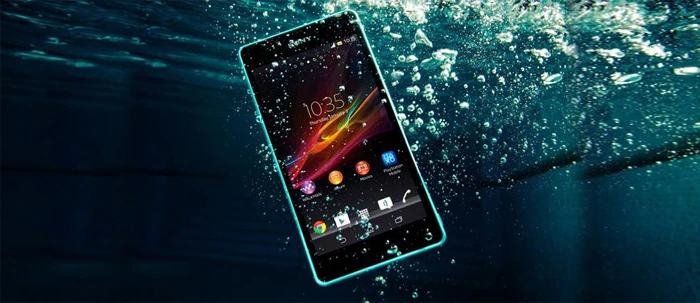
The phone fell: the screen is black, striped or shattered, or it shows but touch doesn't respond. Yet it vibrates, rings, notifications arrive. In this situation the data is almost always intact: the problem is getting to it, because the phone is locked and you can't enter the code.
Phone with a broken or black screen: how to save your data

Is it the screen or the phone?

  • It vibrates, rings, makes sounds when you call it: the phone is on, the screen is broken.
  • The computer recognises it when you connect it (connection sound): same.
  • No sign of life: the phone doesn't turn on. See broken phone that won't turn on.

Ways to save the data yourself

Check the cloud

Google Photos, iCloud, WhatsApp backup: you may not need to do anything on the phone.

Android: monitor and mouse

Many Android phones with a USB-C port support video output. With a USB-C/HDMI adapter (ideally with a USB port) connected to a monitor and a USB mouse you can see the screen and unlock the phone, then back it up or copy the photos to a computer.

iPhone: trusted computer

If the iPhone has already been connected to a computer and trusted, it's sometimes possible to make a backup from Finder or iTunes without touching the screen. See transferring data from a broken iPhone.

Voice commands and accessibility

On some phones voice assistants or accessibility features let you start a backup. It only works if the phone is unlocked.

What NOT to do

  • Don't try random codes: after too many errors the phone locks or erases itself.
  • Don't factory-reset it “to unlock it”.
  • Don't have the screen replaced by someone inexperienced if the data isn't saved: damage to the board during the repair can close off every possibility.

In the lab

A service display is connected to the phone, it's unlocked with your code and the data is copied, without having to repair the screen first. If the board was also damaged by the impact, we work on the electronics. See smartphone and mobile data recovery and phone not recognised by the PC. We answer in English.

Non hai risolto?

Ti aiuta direttamente il laboratorio

help_box_text

help_meta

Chi ha scritto questa guida

lab_note_text

FAQ

Domande frequenti

Non trovi la risposta? Chiama il numero verde 800 835944 o scrivici su WhatsApp.

The screen is black but the phone rings: is the data there?

Yes. If the phone vibrates, rings or receives notifications, it's on and the memory works. The problem is only the screen or the touch.

Can I connect a monitor to the phone?

Many Android phones with USB-C let you connect a monitor with an adapter and use a USB mouse. That way you can unlock the phone and make a backup. iPhones don't allow this in the same way.

Does replacing the screen erase the data?

A correctly done replacement doesn't. But if the new screen doesn't work or the board is damaged during the repair, the data can become unreachable. Make a backup first, if you can.

Prenota il ritiro

Affidati agli Esperti del Recupero Dati

Il laboratorio è uno solo, a Genova, e il ritiro copre tutta l'Italia. Compila il modulo, paga la quota di spedizione e diagnosi e il corriere passa a prendere il dispositivo il giorno lavorativo successivo. Ricevi subito il numero di pratica e l'etichetta via email.

Hai una domanda prima di prenotare? Scrivici su WhatsApp con il pulsante in basso o chiamaci: ti spieghiamo subito come procedere e cosa aspettarti dalla diagnosi.

Enti pubblici

Chiamaci al: 800 835944

  • Prezzi Altamente Competitivi
  • Massima Riservatezza
  • Competenze Specialistiche
  • A Norma GDPR
01 Il dispositivo
02 Quanto hai fretta

I tempi decorrono dall'arrivo in laboratorio. La quota comprende ritiro, diagnosi ed eventuale rispedizione: se accetti il preventivo di recupero viene scalata dal totale, se rinunci non paghi altro.

03 Dove passa il corriere

Da domani, lunedì-venerdì. Se lasci vuoto, il corriere passa il primo giorno lavorativo utile. Il giorno e la fascia effettivi te li confermiamo nell'email con l'etichetta.

Corriere *

Pagamento sicuro con carta su SumUp. Dopo il pagamento ricevi via email il numero di pratica, l'etichetta da attaccare al pacco e il giorno del ritiro.

Is your disk OK? Check it for free DoctorData Disk Check for Windows: disk health, recovery of deleted files, photos and documents. Read-only, no risk.
Message us on WhatsApp