
Why a hard drive fails: causes, fixes and when to come to us
A hard drive or SSD can stop working for many different reasons, and not all of them are serious. Some problems can be solved at home with a little care; others — especially physical failures — need the lab, because every extra attempt risks making the data unrecoverable. Here you'll find the most common causes, what you can safely try yourself and when it's time to stop and hand it over to us.
The golden rule: if the data matters and the drive makes strange noises, has been dropped, got wet or is no longer recognised, switch it off and don't push it. Keeping it powered on is the most frequent cause of failed recoveries.
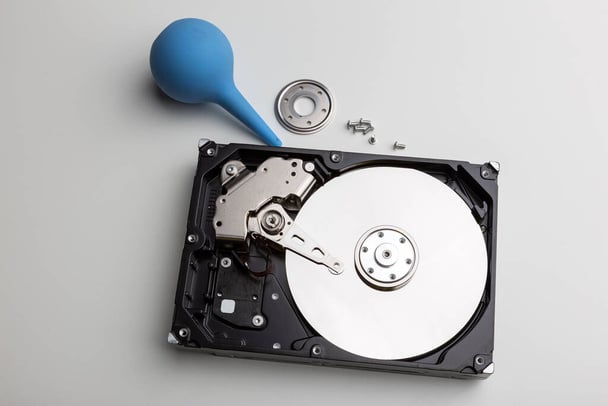
1. Drop or impact
This is one of the most common causes, especially for external and laptop drives. Inside a mechanical hard drive the heads fly a few nanometres above the platters: an impact can make them touch the surface and scratch it.
- At home: if it has just been dropped and makes noises, switch it off at once and don't power it back on.
- With us: opening in a clean room, replacing the heads and copying the data. Guide: dropped hard drive, what to do.
2. Water, mud and floods
Water, damp and mud oxidise the electronics and the platters. After the recent floods in Liguria, Tuscany and Emilia-Romagna, this is one of the most frequent requests.
- At home: don't dry it, don't power it on, don't use a hairdryer. Keep it damp and away from air and bring it to us quickly.
- With us: cleaning and replacing the oxidised parts in a clean room. Guide: wet or flood-damaged hard drive.
3. Overheating
A drive that runs too hot (poor ventilation, dust, heavy use) ages faster and can seize up.
- At home: improve ventilation, remove the dust, don't rest external drives on soft surfaces. If it's already unstable, save the data straight away to another device.
- With us: if it's no longer detected or shuts down, we assess it. Guide: the hard drive runs hot.
4. Power surges and lightning
A blackout or lightning strike can burn the drive's controller board (the PCB), leaving the data on the platters intact.
- At home: a surge-protected power strip prevents the problem; once the failure has happened there's no safe home fix.
- With us: we replace or repair the electronics and recover the data.
5. Wear and age
Drives have a lifespan: after a few years bad sectors, slowdowns and freezes appear. SSDs, on the other hand, can suddenly stop being detected when the controller fails.
- At home: at the first symptoms (slowness, errors, noises) make a copy of the data straight away and check the SMART status. Guide: the signs of a hard drive about to fail.
- With us: if the drive is already unstable, recovery should be done before it gets worse.
6. Logical errors: formatting, deleted files, lost partition
Here the drive is healthy, but the data seems to have vanished: an accidental format, a partition that no longer shows up, the system asking you to "format".
- At home: don't write anything else to the drive and don't format it. Sometimes the data can be recovered with software, if nothing has been overwritten. Guides: the disk asks to be formatted, recovering files after formatting.
- With us: if software isn't enough or the drive also has physical problems, we do it in the lab.
7. Viruses, ransomware and deletions
Malware can encrypt or delete files. The drive works, but the data is locked.
- At home: isolate the device from the network, don't pay the ransom, don't format.
- With us: we assess what's recoverable. Service: ransomware data recovery.
The drive is no longer recognised: the most frequent cause
Many of these situations end up at the same point: the computer no longer sees the drive, or sees it but can't access it. Before pushing on, read hard drive not recognised: what to do and SSD not detected.
If it can't be solved at home
When the problem is physical — or when the data is too important to risk — the right step is the lab. The diagnosis costs €49 (courier pickup across Italy, analysis and a written quote), recovery starts from €240 and you see a preview of the recoverable files before paying. If we recover nothing, you don't pay for the recovery.
