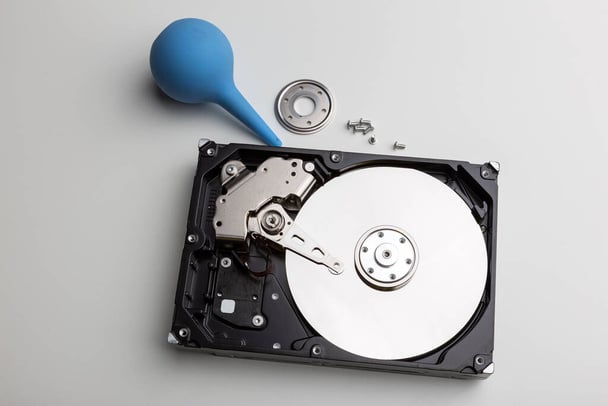
Preventing data loss in RAID: best practices and advice
Preventing data loss in RAID systems is essential to protect your critical information. In this article we will look at the best practices and the key advice for choosing the right RAID level, monitoring the health of your disks and keeping firmware and drivers up to date, so as to guarantee the highest availability and integrity of your data.

Introduction
RAID systems (Redundant Array of Independent Disks) are widely used to ensure data availability and improve the performance of storage systems. Yet even with the redundancy RAID offers, data loss can still happen because of hardware failures, human error or other unexpected circumstances. In this article we will explore the best practices and advice for preventing data loss in RAID systems, so as to guarantee the greatest protection for your precious information.
Choosing the right RAID level
Choosing the right RAID level is essential to prevent data loss. Each RAID level offers a different balance between redundancy, performance and storage capacity. For example, RAID 1 offers complete mirroring of the data, ensuring high availability if a disk fails. RAID 5, on the other hand, offers a good compromise between redundancy and storage capacity, spreading the data and the parity information across all the disks. Weigh your specific needs carefully in terms of performance, capacity and fault tolerance before choosing the RAID level best suited to your system.
Monitoring disk health regularly
Monitoring disk health regularly is essential to prevent data loss in RAID. Use RAID monitoring and management tools to keep track of the performance, temperature and other vital parameters of the disks. Many RAID systems have built-in monitoring features that send alerts when trouble is near, such as bad sectors or high temperatures. Pay attention to these alerts and act promptly to replace failing disks or carry out the necessary maintenance.
Keeping firmware and drivers up to date
The firmware and drivers of the RAID controller play a critical role in managing and protecting data. Make sure you always keep firmware and drivers updated to the latest stable versions released by the manufacturer. Updates often include bug fixes, performance improvements and new data protection features. Follow the best practices recommended by the manufacturer when applying updates, making sure to take complete backups of your data before you proceed.
Taking regular backups of critical data
Even though RAID offers a certain level of redundancy, it is no substitute for taking regular backups of critical data. Backups protect you from data-loss scenarios that RAID cannot prevent, such as human error, ransomware attacks or catastrophic system failures. Put in place a robust backup strategy that includes full, incremental and differential backups of your critical data. Keep the backups in a separate, secure location, preferably off-site, to ensure the greatest protection.
Replacing failed disks promptly
When a disk in a RAID array fails, it is essential to replace it promptly to restore redundancy and prevent further data loss. Always keep spare disks compatible with your RAID system to hand, so that you can carry out the replacement quickly if needed. Follow the procedures recommended by the manufacturer for replacing disks, making sure to rebuild the RAID array correctly after installing the new disk.
Conclusion
Preventing data loss in RAID requires a combination of appropriate hardware choices, regular monitoring, proactive maintenance and sound backup strategies. By following the best practices and advice set out in this article, you can significantly reduce the risk of data loss and ensure the highest availability and integrity of your precious information. Remember, investing in preventing data loss is always cheaper than the cost and stress of recovering lost data.