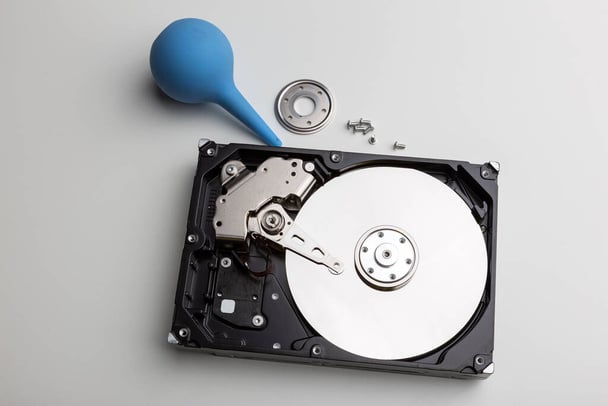
Hard drive repair: repair the disk or recover the data?
When a hard drive breaks, many people search for “hard drive repair”. In reality almost nobody wants the disk back: they want back the photos, documents and work that were on it. It's an important difference, because it changes what's worth doing.
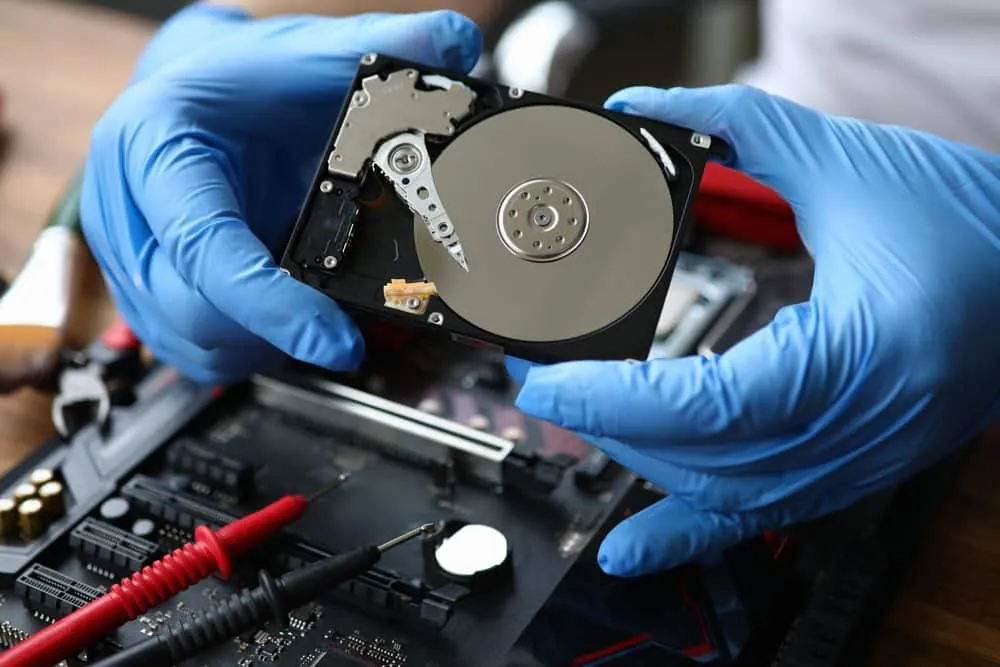
Is repairing a hard drive worth it?
To use it again, almost never. A new 1–2 TB disk costs less than any lab work, and a disk that has had a mechanical failure doesn't become reliable again: the replacement heads come from another disk, the surfaces may have small damage, the mechanics have taken a hit.
To recover the data, yes. In the lab the disk is “repaired” just enough to read it once, with tools that copy sector by sector. The data ends up on a new disk; the failed one is returned or disposed of.
Which faults can be repaired
- Damaged heads (clicking, ticking): replaced in the clean room with compatible heads.
- Seized motor or stuck heads (buzzing without spinning, beeps): freed, or the platters are moved to another mechanism.
- Burnt PCB (after a storm, a wrong power supply, a burning smell): the board is repaired or a compatible one is adapted by transferring the calibration data.
- Corrupted firmware (the disk spins but isn't recognised, wrong capacity, “0 MB”): the service area is corrected.
- Damaged sectors (very slow disk, files that won't open): copied with repeated, controlled reads.
- Logical fault (formatted, lost partition, “the disk needs to be formatted”): the disk is healthy, we work on the copy.
If the disk clicks or makes noise, first read hard drive making noise or clicking; if the computer doesn't see it, hard drive not recognised.
Broken external hard drive
External disks (WD Elements, My Passport, Seagate Expansion, Toshiba Canvio…) break mainly from drops while powered on and from problems with the USB connector.
- Try once with another cable and another port, preferably directly on the computer rather than a hub.
- If the disk doesn't spin, clicks or switches off and on, stop.
- Don't open the enclosure: in many recent models the USB port is soldered onto the disk's board and the data is encrypted by the electronics. Separating the disk from the enclosure makes it unreadable with a normal SATA adapter and complicates recovery.
- If the USB connector is broken or bent, don't force it: it's repaired in the lab without touching the data.
For branded disks there are dedicated pages for Western Digital and Seagate.
Repairing a hard drive with software: when it works
“Repair” programs (CHKDSK on Windows, First Aid in Disk Utility on Mac, manufacturers' tools) fix file system errors, not disk faults. They only make sense if:
- the disk is silent, is seen with the correct capacity and isn't slow;
- you already have a copy of the important files.
If the disk has damaged sectors, these programs make it work for hours precisely in the damaged areas and can delete references to files that could still be recovered. The rule is simple: first copy the data, then repair. If the copy fails, the disk needs a lab.
Who repairs hard drives: shop, manufacturer or lab
- Computer repair shop. Fine for reinstalling the system, replacing a cable or a broken USB enclosure. It has no clean room: it can't replace heads or free a motor.
- Manufacturer's warranty. It covers the disk, not the data: you get a replacement disk and the failed one, with your files, doesn't come back. If you need the data, it must be recovered before sending it under warranty.
- Data recovery lab. This is the “hard drive repairer” you're looking for when the content matters: it repairs the disk just enough to read it and delivers your files on a new device.
How much hard drive repair costs
There's no single price, because it depends on the fault. With us you start with the €49 diagnosis, pickup and return shipping included (€199 Express within 72 hours, €349 Urgent within 24 hours). Then you receive a written quote:
- a logical fault is the cheapest job;
- work on electronics or firmware is in the middle;
- mechanical work in the clean room, with a donor disk, is the most expensive.
If you accept, the €49 is deducted. If the data can't be recovered, you don't pay for the recovery. Details are in how much data recovery costs.
How long it takes
The diagnosis comes within 7 days of arrival at the lab, 72 hours with Express or 24 hours with Urgent. Recovery times are in the quote: a logical fault generally takes less than mechanical work, where time may be needed to find a donor disk.
What NOT to do with a broken hard drive
- Don't open it: household air contains dust far larger than the gap between heads and platters.
- Don't put it in the freezer and don't tap it “to free it”.
- Don't use recovery software if the disk is noisy or very slow: it keeps it running for hours and worsens the damage.
- Don't take it to a “computer repair” shop without a clean room: replacing heads requires a controlled environment and specific tools.
Hard drive repair in Rome, Milan, Turin and across Italy
There's only one lab, in Genoa, but the courier collects the disk from your home or office anywhere in Italy, and it's included in the €49. From Milan and Turin it arrives in one day, from Rome in one or two. The city pages explain times and procedures: hard drives in Rome, Milan, Turin, Naples, Bologna, Florence and Genoa.
How DoctorData works
- Book a pickup on book a pickup: the courier comes the next working day, anywhere in Italy. In Genoa you can bring it to the lab.
- Diagnosis from €49 (Express €199, Urgent €349): we identify the fault and which data is readable.
- Written quote: if you accept, the €49 is deducted. If you decline, the disk comes back at no further cost.
- Recovery and delivery on a new disk, with the list of recovered files.
See also how much data recovery costs and the hard drive data recovery page. We answer in English.